A/ What is a Digital Adoption Platform (DAP)?
The Digital Adoption Platform, also known as a DAP, is a major innovation in the way business software is managed. This data entry support tool is built to assist the people who run business applications (ERP, CRM, HRIS…).
One of the main goals of a Digital Adoption Platform is to simplify the onboarding of new employees. Through interactive guides, video tutorials and tooltips, users are guided step by step as they get to grips with the software. That shortens the learning curve and prevents data entry errors.
DAPs prove particularly useful in organizations that regularly roll out new software or update it often, such as SAP ECC to S/4HANA migrations.
B/ What a DAP does
Digital Adoption Platforms transform the way business software is used, through features that touch the human, the software and the organizational dimensions.
Human dimension
They ease onboarding by cutting initial training time. They offer proactive, targeted help that builds confidence and independence in the software.
Software dimension
The DAP acts as an intelligent layer over existing business software. It tracks in real time how users interact with the interface, collects data on usage habits and analyses performance in depth.
Organizational dimension
It is a strategic asset for operational efficiency. It cuts training and user support costs by offering self-service learning, which reduces the need for human assistance.
C/ What a DAP brings to a company
- New software adopted more easily
- Continuous support to users along the way
- Fewer data entry errors and better data quality
- Faster business processes and higher productivity
- Lower training and user support costs
- Informed strategic decisions about software usage
D/ A look at OnScreen, the leading DAP on the French market
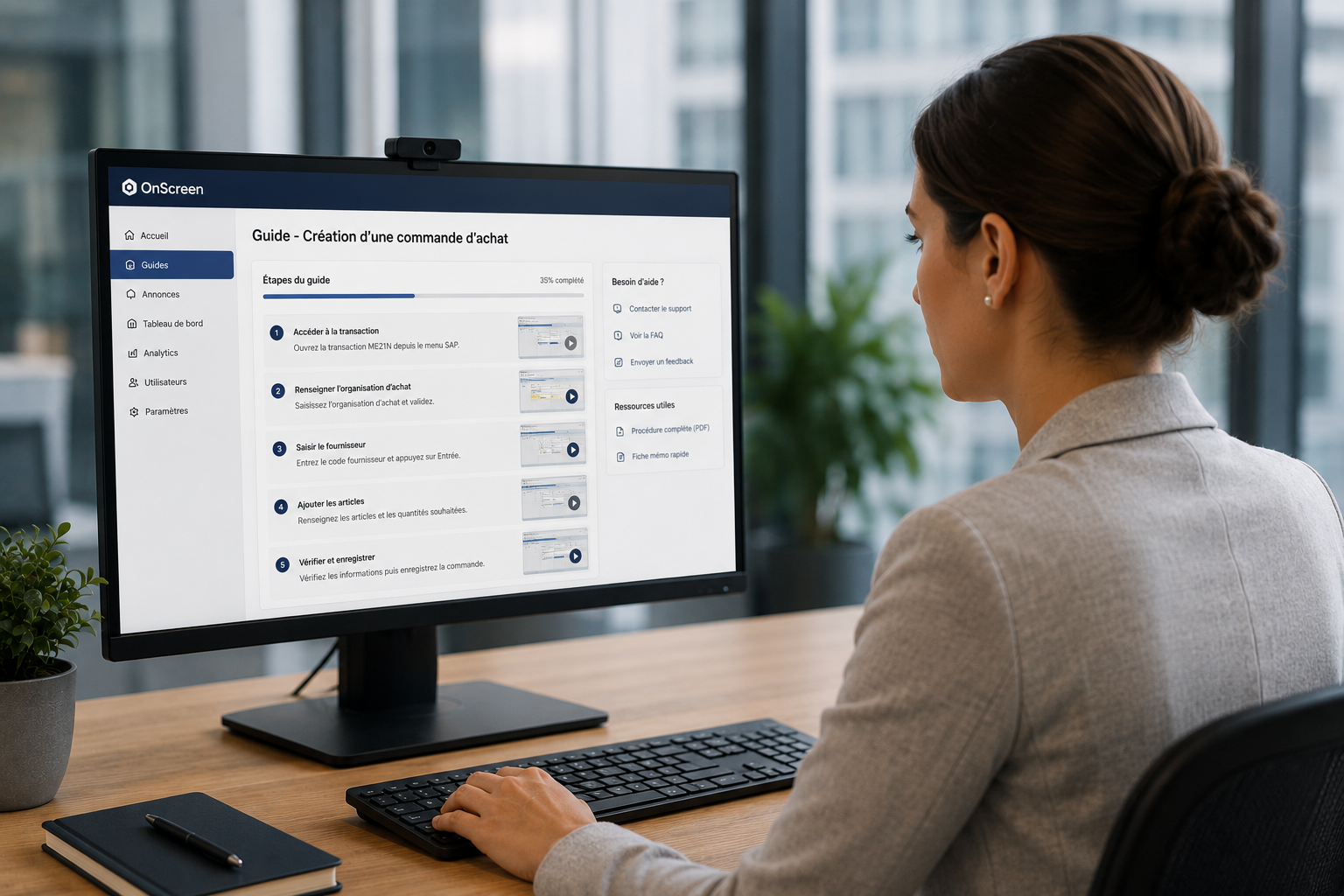
OnScreen is a Digital Adoption Platform that entered the French market in 2020. It makes business software simpler to use by providing dynamic in-context guides and help bubbles to business users.
OnScreen works on any web application as well as on SAP ECC and S/4HANA. Help appears in real time as text bubbles, videos, PDF documents or links to any material useful to the task at hand.
How does OnScreen work?
- Business experts or trainers record the steps of the process directly in the application, then document and publish them
- The relevant information is presented to users inside their own application, in the specific context of each process
- Any authorized manager can build an OnScreen guide in 27 minutes
OnScreen, distributed by Mycène
Mycène is the authorized Value Added Distributor (VAD) for OnScreen in France and French-speaking Europe. Our experts support you from the demonstration through to the rollout.
My OnScreen demonstration OnScreen, the digital adoption platform distributed by MycèneThree ways to support SAP users
The difference is not the quality of the content, but when the help arrives: before the task, beside the task, or inside the screen.
| Criterion | Classroom training | PDF documentation | Digital adoption platform |
|---|---|---|---|
| When help arrives | Before the task | To look up when needed | In the screen, as data is entered |
| Who produces the content | External trainer | Project team | Business expert, with no IT skills |
| Updating after a change | A new session to organize | A new version to circulate | Guide edited, effective immediately |
| A newcomer arriving mid-year | A session to reschedule | Independent, but in theory only | Independent from day one |
| Measuring actual usage | Attendance sheet | None | User journey tracking |
| Covers other business software | ✗ | To rewrite for each one | ✓ Salesforce, Workday, Oracle and others |